



To optimize our security infrastructure and provide an absolutely safe trading environment, Holdstation requires all users to upgrade their wallet system to the latest March 2026 version.
❗️THE REFUND FORM AND PROCESS WILL CLOSED ON APRIL 1ST
*please contact the team for instant support
This process requires you to back up your current wallet, uninstall the old app, and reinstall the wallet from scratch.
4 STEPS TO UPDATE YOUR HOLDSTATION WALLET
1️⃣ Back up your old wallet's Private Key / Seed Phrase (CRITICAL)
Before deleting the app, you must secure your wallet recovery code in case you need to access it again. If you lose this code, you will permanently lose access to your wallet and your assets.
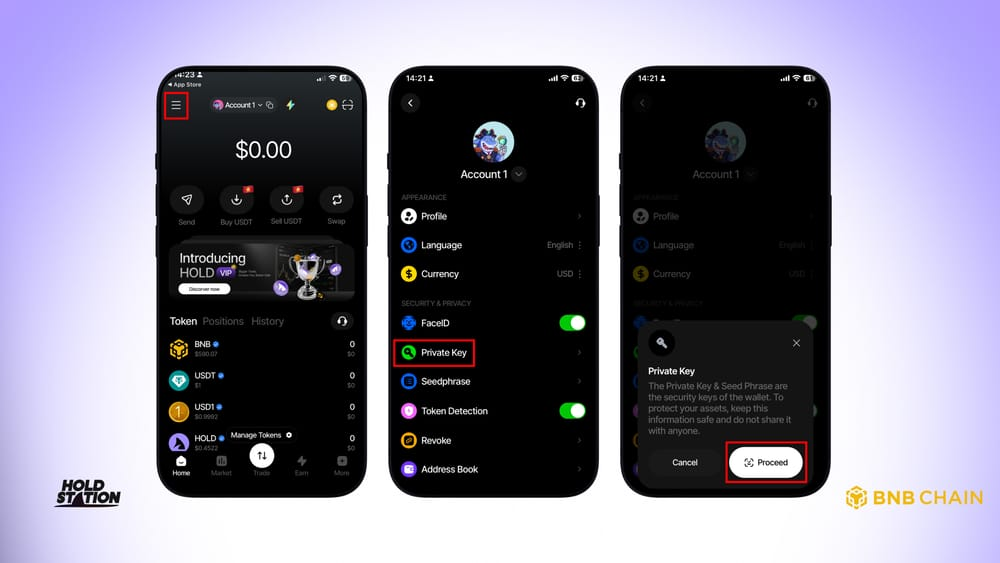
How to back up your old Private Key:
- Open the current Holdstation Wallet app.
- Go to Settings -> Select Private Key.
- Export your Private Key (the encrypted character string).
Ultimate Safety Rules:
- ✍️ Write it down on paper and store it in a safe place.
- ❌ DO NOT take screenshots, and DO NOT copy-paste it into Zalo, Telegram, Notes, or any internet-connected environment.
2️⃣ Uninstall the Old Holdstation App
Once you are 100% certain you have correctly and completely written down your 12-word seed phrase (or Private Key) on paper, proceed with the following:
- Long-press the Holdstation app icon on your phone.
- Select Uninstall / Delete App to completely wipe the old version's data from your device.
3️⃣ Download the Latest Version of the Holdstation App
To ensure you download the official security update, only download the app from the App Store, Google Play (CH Play), or official trusted links.
Do not click on suspicious links or download unverified APK files.
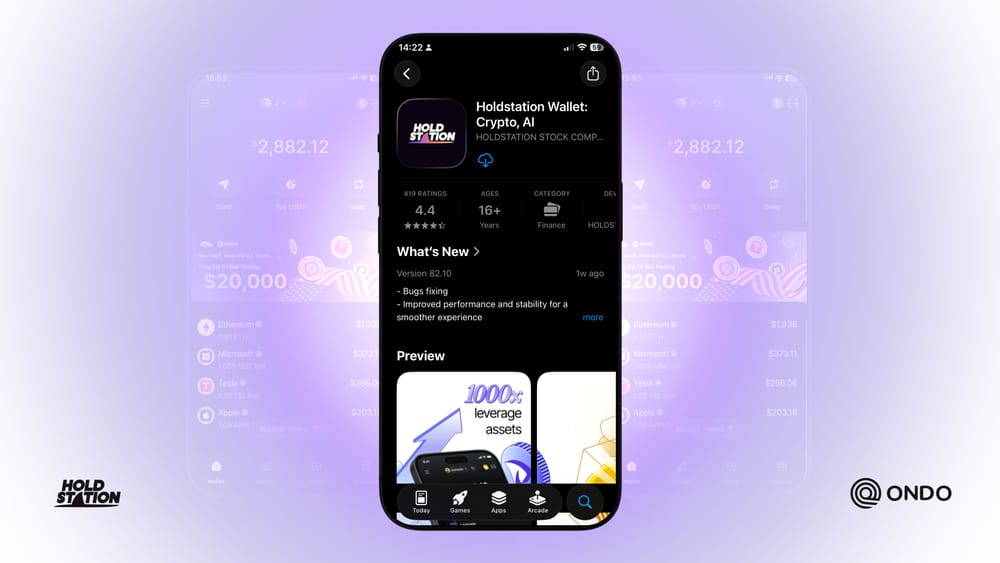
- For iOS: Go to the App Store, search for "Holdstation Wallet," and download it.
- For Android: Go to the Google Play Store (CH Play), search for "Holdstation Wallet," and download it. (Alternatively, visit the official website: holdstation.com for the legitimate download link).
4️⃣ Set Up Your Wallet and Resume Trading
Now, open the newly downloaded Holdstation app and follow these instructions:
Set up the Holdstation wallet:
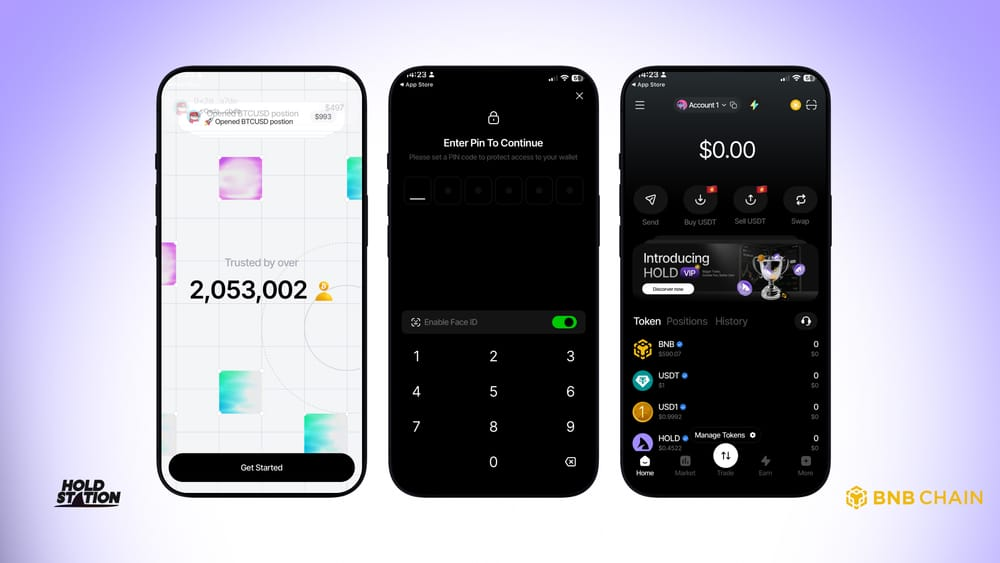
- On the main screen, select Create New Wallet.
- Set up a new PIN code and FaceID/TouchID for the app.
Your new wallet is created:
- Back up the Seed Phrase (12 words) and Private Key of this new wallet exactly as you did in Step 1.
- The latest security update is now successfully installed with the newest wallet version.
Disclaimer: Make protecting your Seed Phrase/Private Key a permanent habit. Holdstation will never ask you to provide this code under any circumstances.
Comments